
Work with branch versions
Use a named Enterprise branch version to keep imports, refreshes, and reviewed edits separate from default. Reconcile the version, then choose whether to post its changes to default.
Import a named version
Section titled “Import a named version”- In Data, choose Add layer and enter the FeatureServer layer URL.
- Under More options, select the Enterprise sign-in and choose Choose branch version.
- Review the visible versions, including owner, access, description, and source moment. Select a named version, or choose New version to create one with Private or Protected access.
- Import the layer. Import any related tables separately into their intended versions.
- Make a small local edit, then use Review and push changes. Check the target version in that review before sending.
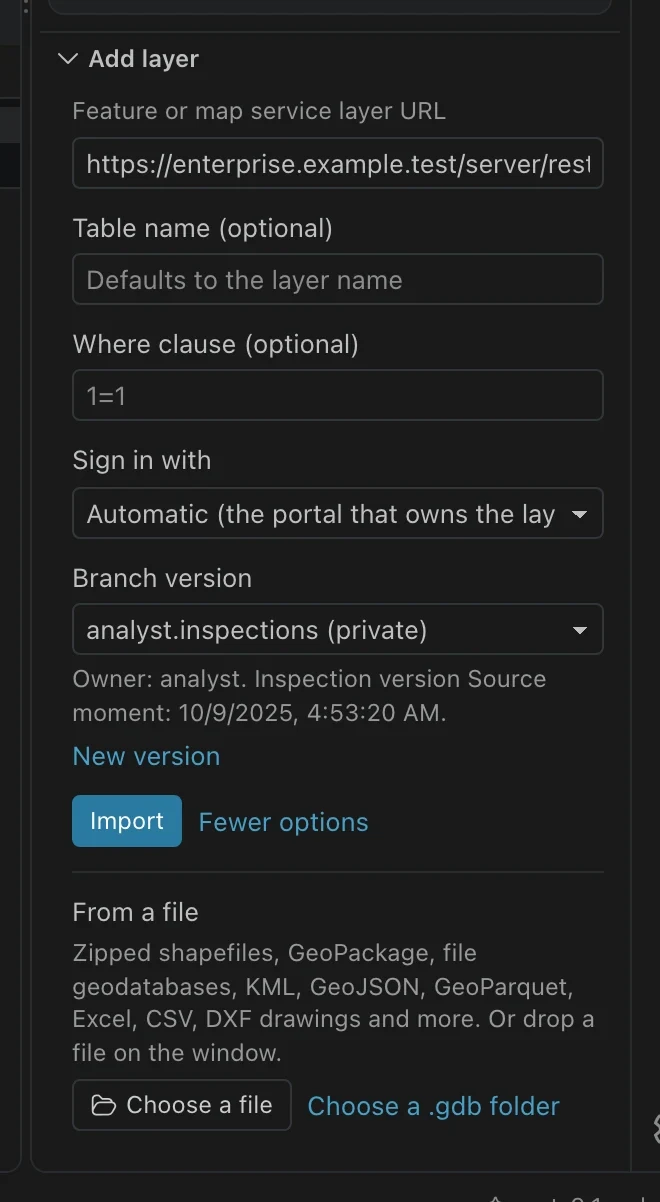
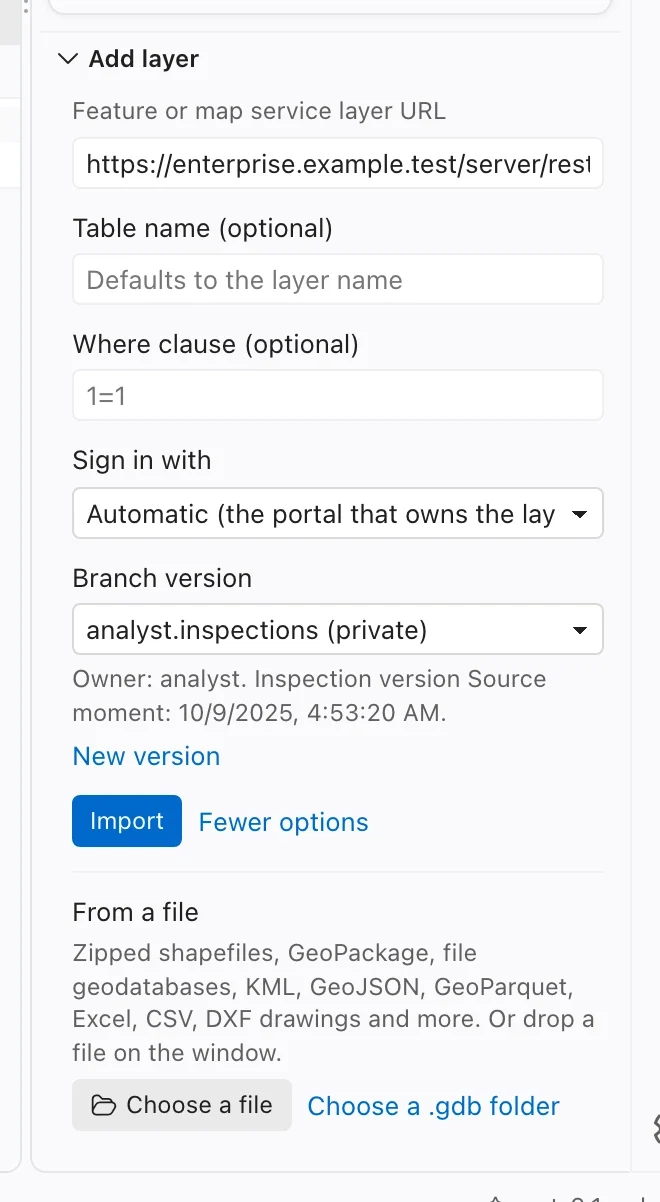
A branch layer imported without a selected version cannot be pushed. Direct pushes to default are disabled, including for administrators. Use a named version followed by explicit reconciliation and posting.
Refresh selects the same recorded version identity and downloads a complete version-scoped copy, preserving local edits through ordinary change tracking. If the named version is unavailable, Northing stops instead of switching to default.
Reconcile, then decide whether to post
Section titled “Reconcile, then decide whether to post”- Finish pushing your local edits to the named version.
- With its table in context, choose the command Reconcile and post branch version for your table, such as Reconcile and post branch version for sf311_incidents.
- Review changed features across the service. Compare Base, Ours, and Theirs (default) and choose a resolution for every field, geometry, or delete/update conflict.
- Choose Reconcile version. Northing rechecks the review under an edit lock before reconciling and applying your choices.
- Choose Post to default to update default, or Save and close without posting to keep the reconciliation only in the named version.
- Refresh the local tables before editing again.
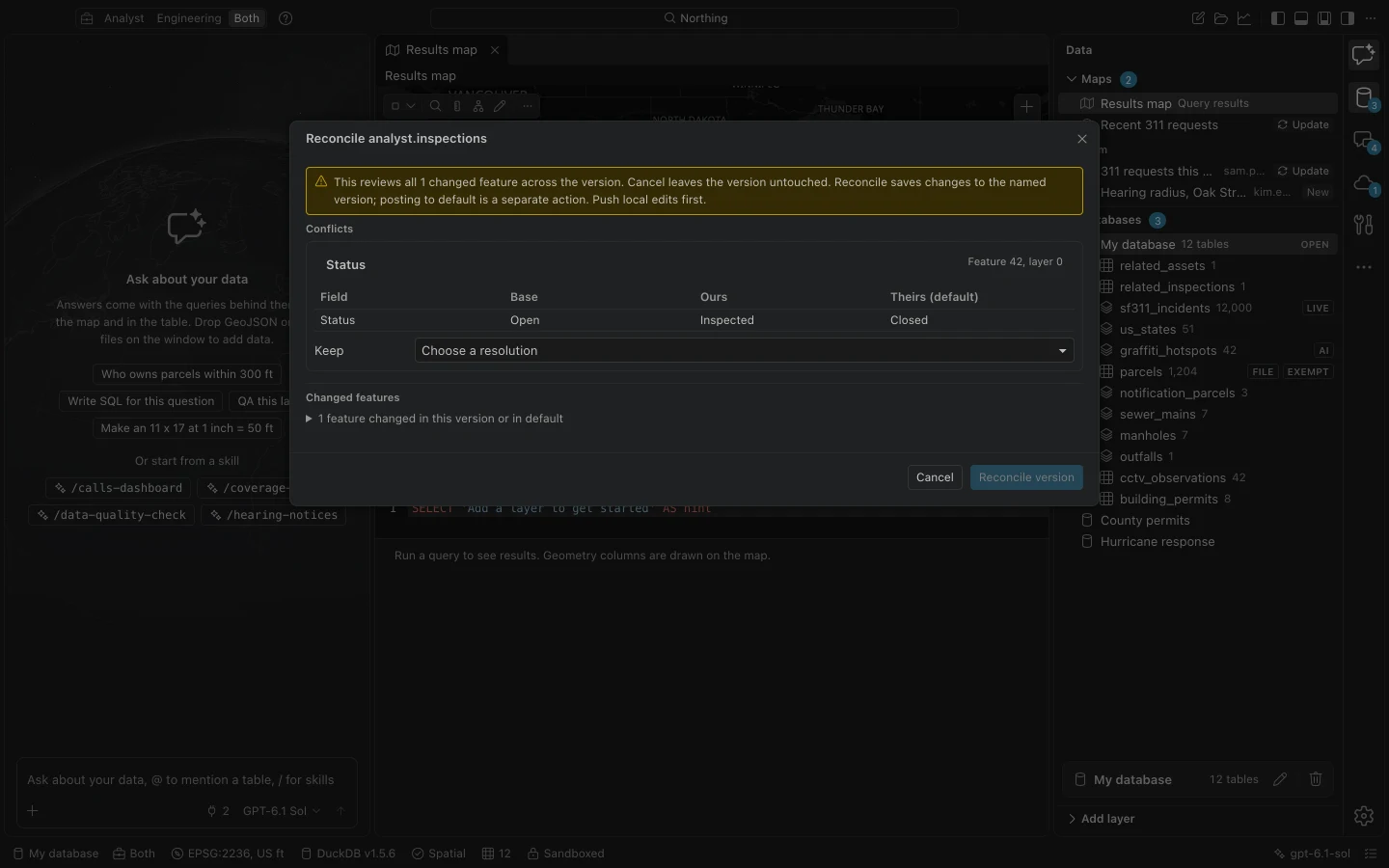
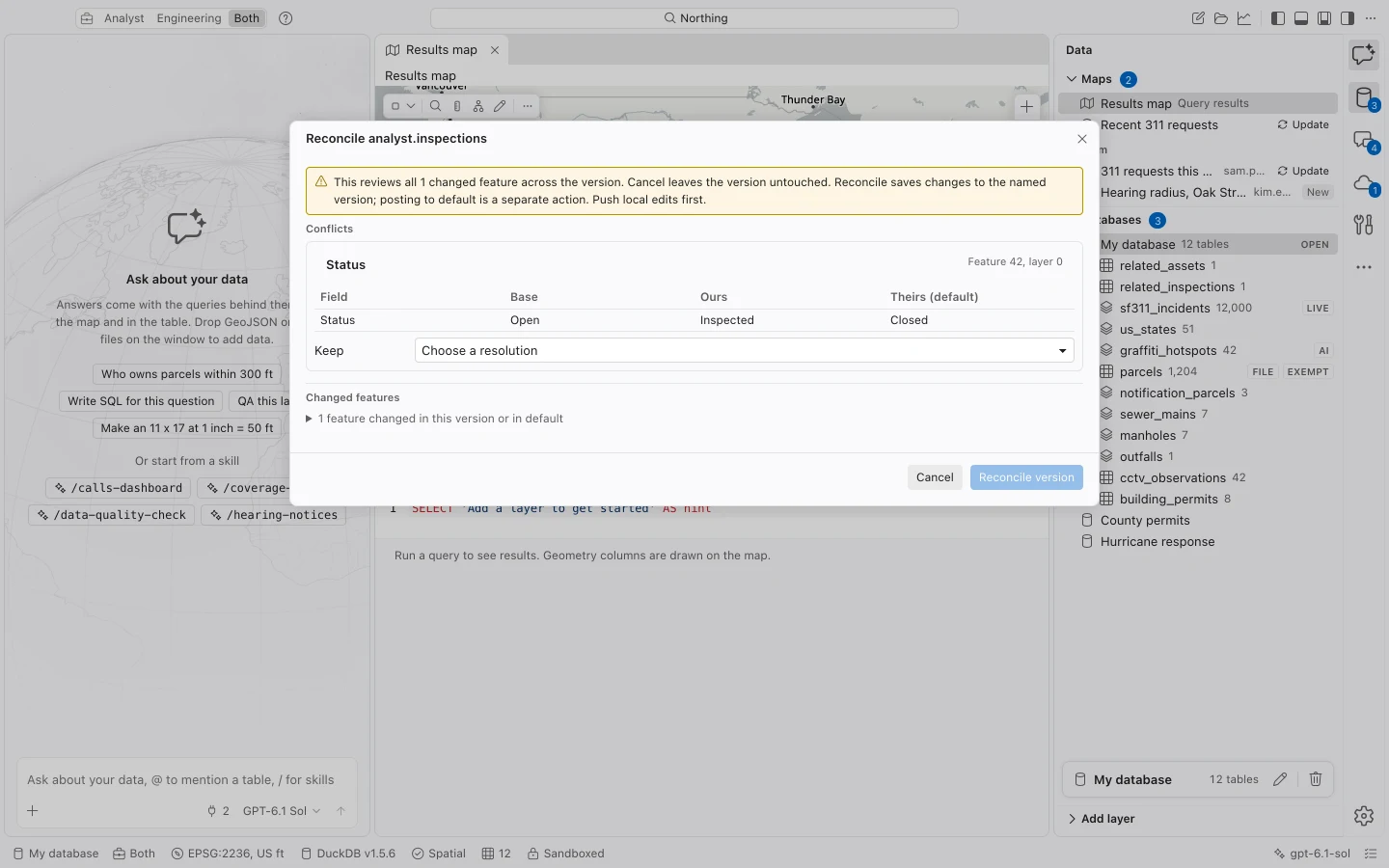
Cancel before reconciliation leaves the version untouched. Reconciliation itself saves changes to the named version. Closing afterward does not undo that reconciliation, even if you have not posted to default.
The review covers all changed features across the service, not just the table that opened it. A stale review or unexpected server conflict stops the operation before applying resolutions or posting. Reopen the review and understand the new differences before proceeding.
Interrupted sessions
Section titled “Interrupted sessions”A branch push opens a read/edit session that Northing records for recovery. Northing updates the local change baseline only after the server confirms the save, and checks uncertain saves against the version’s stored rows.
Use the existing job’s Retry when offered. Do not start a replacement push while a session remains pending. If initial lock acquisition was interrupted, ask your Enterprise administrator to inspect the saved session’s locks first.
Reconciliation failures retain their review and session information for inspection. An uncertain reconciliation or post is never automatically repeated. Coordinate with the administrator to establish what committed in Enterprise before continuing. A reverse push uses the original version and saved feature snapshot.
Supported scope
Section titled “Supported scope”| Requirement or limit | Meaning |
|---|---|
| Enterprise 10.9 or later | Requires a branch-versioned FeatureServer and its sibling VersionManagementServer. |
| Attribute conflict support | Field-level reconciliation requires the service capability for conflict detection by attribute. |
| Named versions | Server permissions and licensing still govern creating, editing, reconciling, and posting versions. |
| Dependent data | Reconciliation of changed layers with attachments or relationships is refused because those dependent changes cannot yet be fully previewed. |
| Schema and attachments | Branch schema additions and attachment edits are not supported. Feature-only services and standalone tables use this workflow. |