
Try the sample data
Sampleton gives you parcels and addresses for a first session without sign-in. Its 96 parcels and 96 address points are sample records in an invented town, including deliberately repeated owners.
Run the sample notification query
Section titled “Run the sample notification query”- Open the command center and choose Show the getting started guide.
- Choose Try offline sample data, then Try the sample data. The tables are named
sample_parcelsandsample_addresses. - At Run a sample request, choose Run it as SQL. This finds owners within 300 feet of parcel
S-2-06and excludes the subject parcel. - Inspect the rows and Results map. Read the SQL to see how the distance and subject parcel are used.
- To inspect every parcel, open
sample_parcelsfrom Data. Compare its full table with the smaller query result.
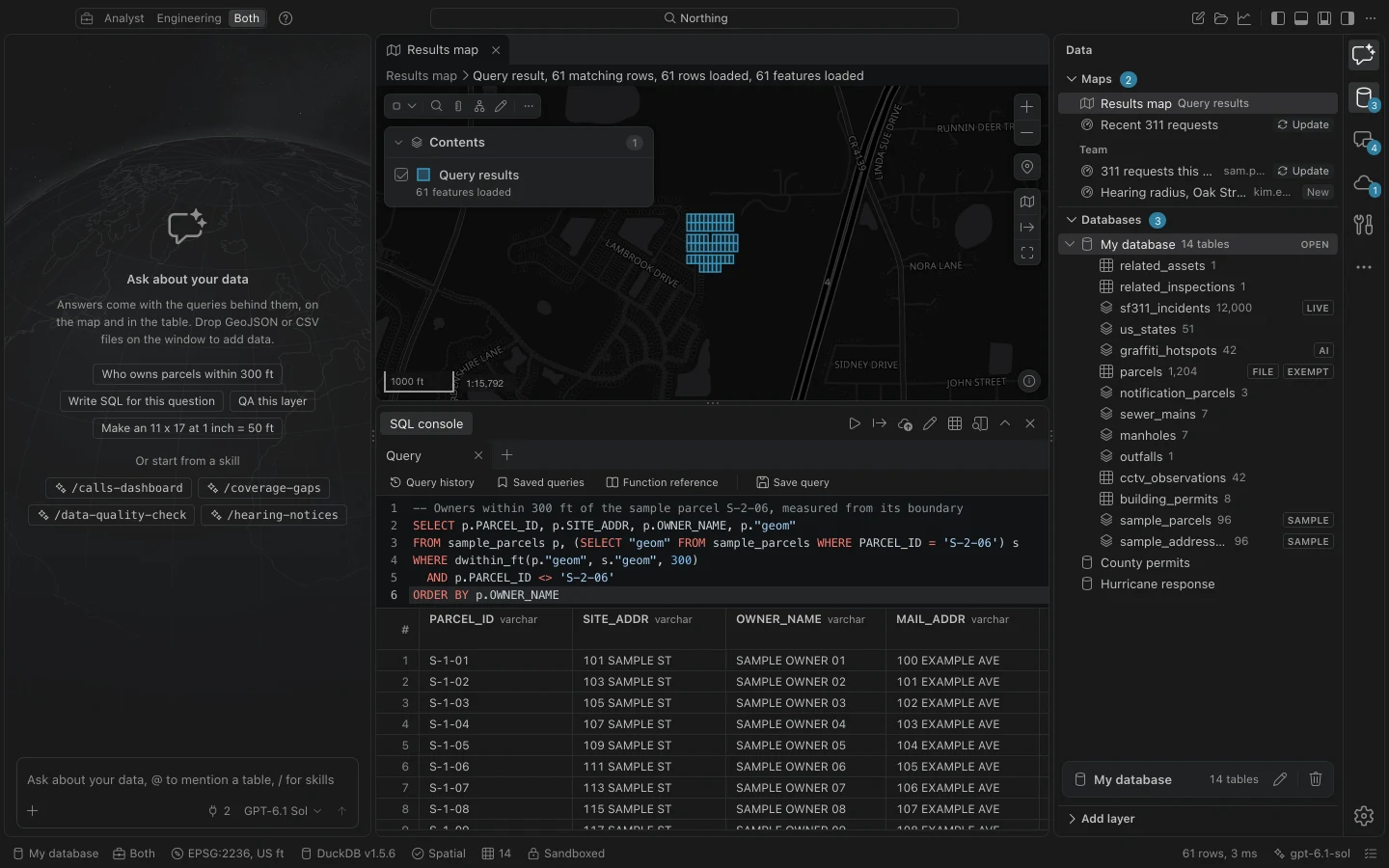
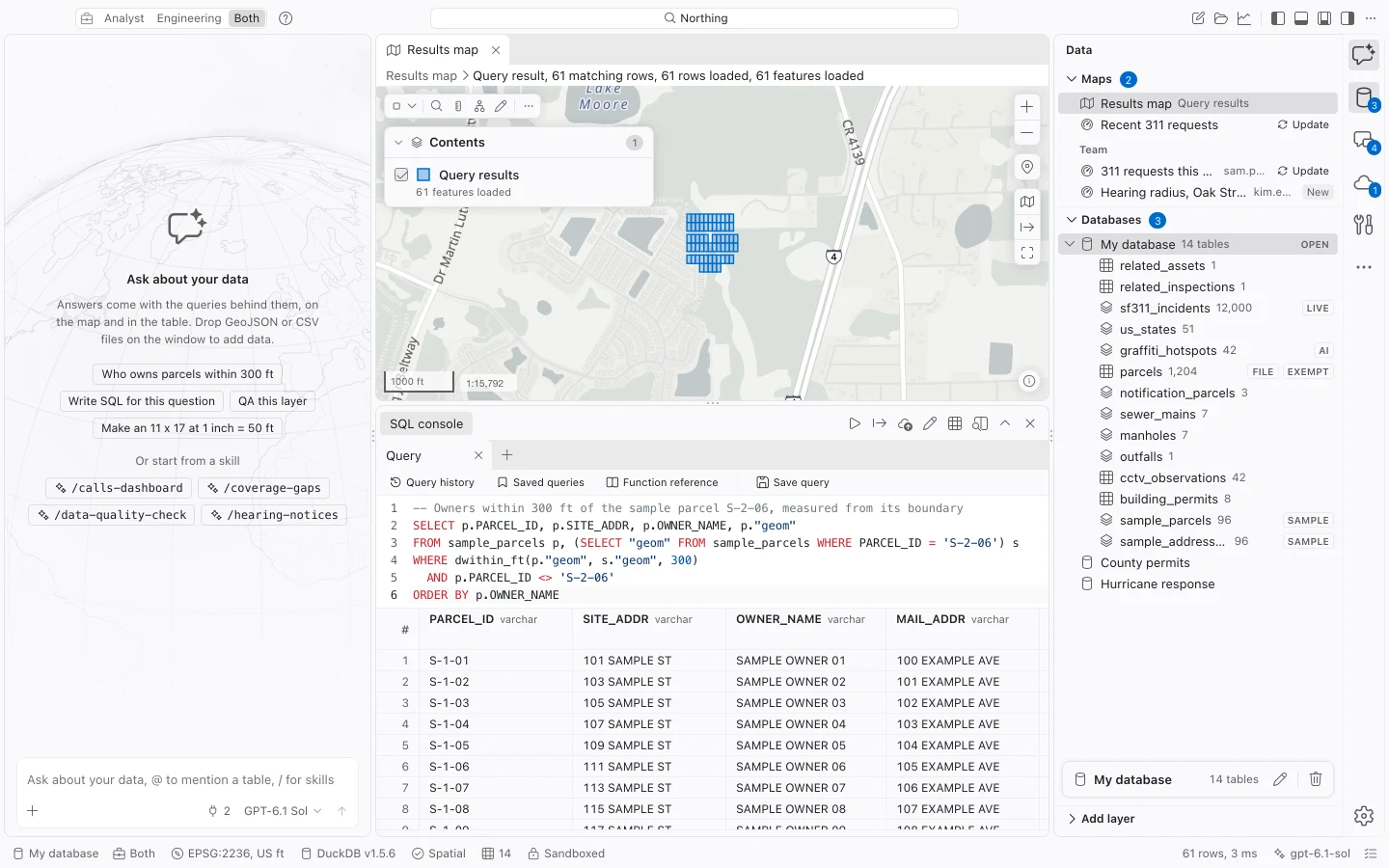
A notification rule may include or exclude the subject parcel. The sample’s exclusion demonstrates one choice; confirm the rule for a real hearing before building its mailing list. Decide how to handle repeated owners before exporting labels.
Try a few next tasks
Section titled “Try a few next tasks”- Choose New map of sample_parcels in the command center. Style by
ZONINGand label withPARCEL_ID, then close and reopen the map to check that your changes saved. - Choose Open the attribute table of sample_parcels. Filter a column, select a row, and use Zoom to the feature to compare the row with the map.
- Choose Add field to sample_parcels and add a text field named
pilot_note. Use Field calculator for sample_parcels with the expression'Pilot check', review its scope and preview, and apply it. - With the notification query results active, choose Make mailing labels from the results. Map
OWNER_NAME,MAIL_ADDR,MAIL_CITY,MAIL_STATE, andMAIL_ZIPto the label fields and review duplicates before exporting a PDF.
The sample is useful for practicing field calculations and mailing labels. The addresses are fictional; do not use the resulting labels for mail.
What the sample does not test
Section titled “What the sample does not test”Sampleton tables have no ArcGIS source. They cannot test portal authentication, refreshes, conflicts, or pushing edits back to a service. Those tasks require a separate test layer and the appropriate portal permissions.
Ask the assistant appears for the sample request when a model is ready. It sends a request to that model; Run it as SQL runs the supplied local query. Choose the SQL route to test the sample without a model connection.
Some documentation screenshots use sample utility and 311 records. Those tables are not included with Sampleton.