
Manage updates
Use Settings > About to see the update source and check for an approved release. Northing verifies update signatures before you choose to install; on managed machines, IT supplies and installs the package.
Check and install an update
Section titled “Check and install an update”- Save local edits and make a workspace backup.
- Open Settings > About and inspect Update source and Update channel.
- Choose Check now. Review the offered version and release notes.
- If your installation permits it, choose Restart to update and review the restart confirmation. On a managed machine, obtain the package through IT instead.
- After restarting, verify the version in About, read What’s new, and run the self-test again.
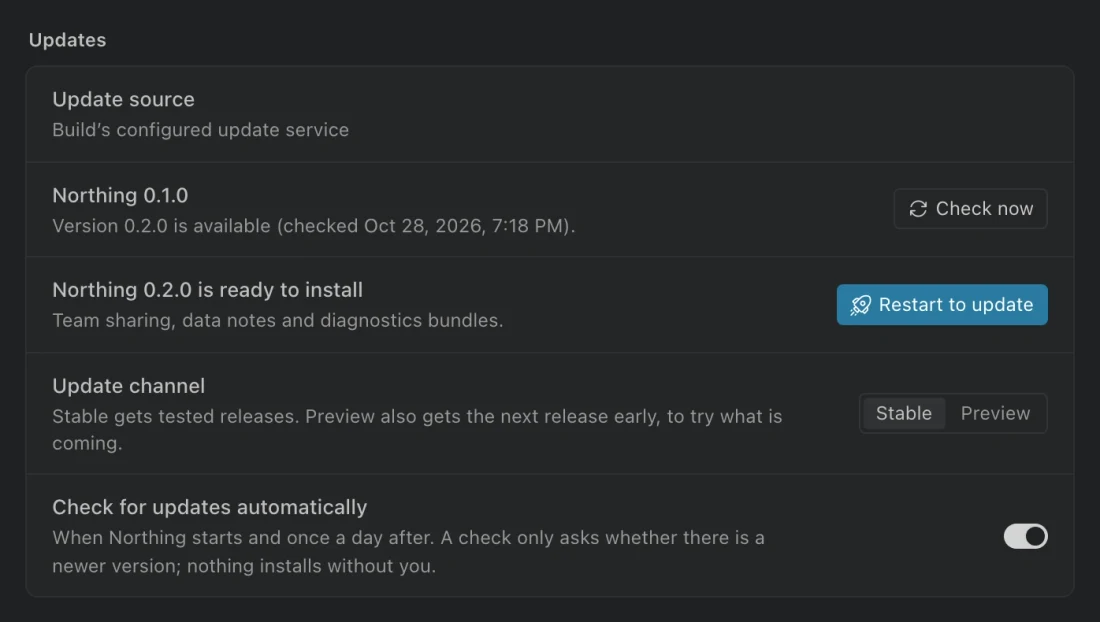
Automatic checking, when enabled, runs at startup and once a day. You still choose when to install. Choose Stable or Preview under Update channel unless IT has pinned the selection. Preview can receive prerelease builds; use the channel agreed for your pilot.
Managed updates
Section titled “Managed updates”| Policy | Behavior |
|---|---|
managed: true or updates.managed: true |
Checks may still report a newer release, but the app never downloads or installs it. |
updates.enabled: false |
Disables update checks. |
updates.channel |
Pins the channel and disables the user’s channel choice. |
updates.endpoint |
Replaces the build’s update source with an approved HTTPS endpoint. |
updates.packagesUrl |
Identifies the location IT uses for packages. |
updates.pubkey |
Configures the matching public verification key for an IT-signed update source. |
An internal endpoint can serve approved update metadata and archives. It receives no personal license key. Keep the endpoint and signing key consistent with the distributed app and preserve a way to recover if an update is unsuitable.
Licensing and unavailable checks
Section titled “Licensing and unavailable checks”Licensed builds normally use Northing’s Keygen update service. A valid personal or connected organization license supplies the download credential. An expired or invalid license cannot download or install through that service.
After expiry, a new session may be unable to discover newer versions at all. Refresh or renew the license, then check again.
An offline license file alone does not provide a personal Keygen download credential. IT should distribute managed packages or configure an internal endpoint for that deployment. Development builds without a configured endpoint or signing key do not check for updates.
If the update source is unreachable or a response is invalid, the current app remains installed. Review the error and verify network access. An archive with the wrong signature is refused; do not bypass that check.
Release notes and rollback
Section titled “Release notes and rollback”What’s new appears once after a version increase and shows the intervening released notes. View the full changelog in the command center works offline and includes the full bundled notes.
A new version can change the workspace database format. Northing saves a Before upgrade backup first and refuses to open a newer schema with an incompatible older app. Coordinate any rollback with IT and preserve that backup. Replacing the application with an older package is not a safe way to downgrade an already upgraded database.