
Open ArcGIS web maps
Open an ArcGIS web map when you want its layers and supported presentation settings together. With a signed-in portal, Northing translates it into a saved, editable map and imports feature data into new local tables.
Review and open a web map
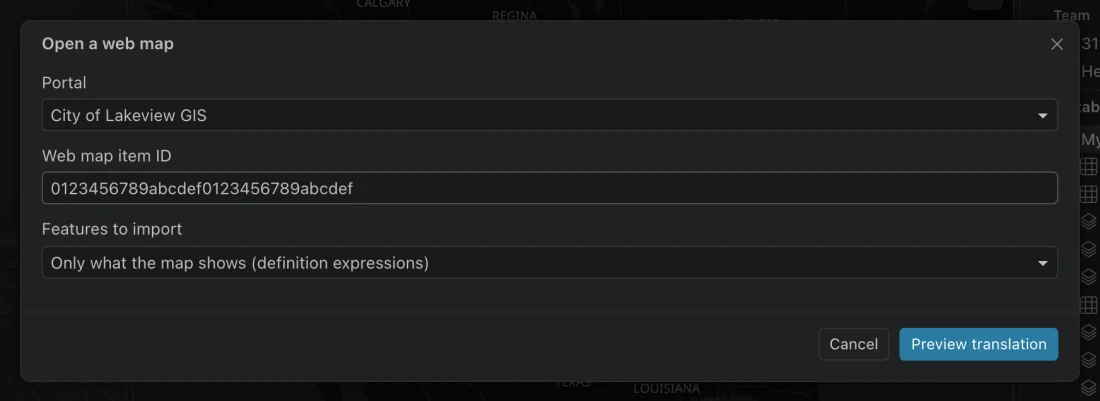
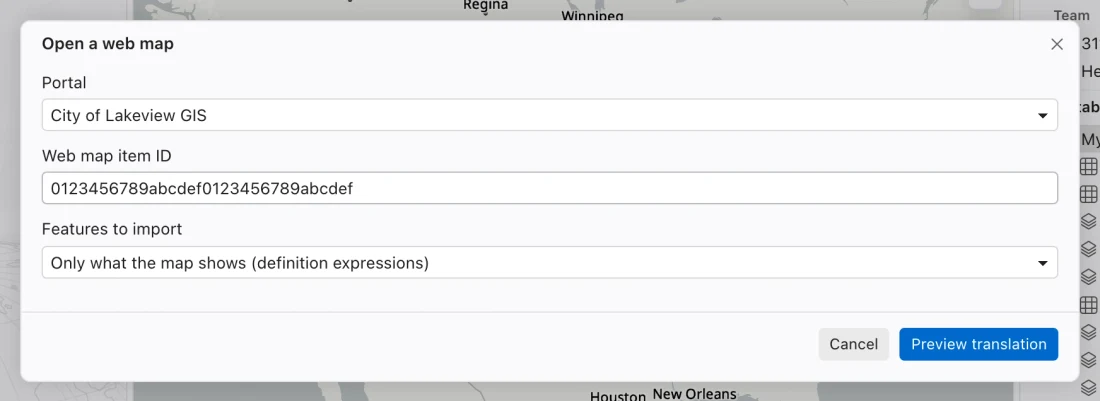
Section titled “Review and open a web map”- Open Portals, select the signed-in connection, and find the web map. Choose its Open in Northing… action. You can also search the command center for
web mapand enter its Web map item ID. - Choose Features to import. Use Only what the map shows (definition expressions) for the map’s filtered source data, or All features, with map filters retained locally for the full feature data with supported map filters applied locally.
- Choose Preview translation. Read the report for every layer, including approximations and skipped content.
- Choose Import and open map only after reviewing that report. Wait for the imports to finish.
- Compare the opened map with the source: layer count, visible features, symbology, labels, pop-ups, and extent. Review the final report, which is also saved in the map description.
Choose between source and local filters
Section titled “Choose between source and local filters”A definition expression is the web map’s rule for which features a layer shows. Downloading only those features reduces the local dataset. It also means you cannot remove the filter later to reveal records that were never imported.
Importing all features keeps supported expressions as local dataset queries. This gives you a broader local table while retaining the translated map’s intended subset. Unsupported expressions still appear in the report. Date literals in translated expressions use UTC.
Existing local tables are not replaced. Each import creates new tables with available names. If a later stage fails, completed tables can remain; the error identifies them for recovery. A retry creates fresh copies, so check for the named earlier imports before repeating a large job.
Read the translation report
Section titled “Read the translation report”| Content | What to expect |
|---|---|
| Feature services | New local tables used by saved-map layers. |
| Supported symbols and class breaks | Local styling, with approximations identified where required. |
| Field labels, supported label classes, and pop-ups | Translated settings, including supported formats and field order. |
| Tile, vector tile, image, and WMS services | Display references, not downloaded feature tables. |
| Service basemaps | Display beneath operational layers. |
| Nested groups | Named path groups with inherited display settings. |
| Related tables referenced by supported pop-ups | Imports through the related-record workflow. |
The importer handles web map specification 2.x. Arbitrary Arcade, unsupported renderer rules, embedded feature collections, remote-only picture markers, and standalone tables without geometry are reported rather than silently treated as supported. Embedded raster picture markers can become icons. Some continuous visual variables become stepped colors or proportional circles.
Check the report for differences in colors, labels, and pop-ups before using them to interpret the map. Unsupported projected extents also need attention.
After import
Section titled “After import”The saved map is a local document. Its imported tables, styles, and later edits do not automatically update the original web map. Use publishing to share the result with a portal.
If the source map or its service styles change after preview, Northing requires a new review. An incomplete feature download is refused for this workflow. Resolve the source access or download limit rather than assuming the remaining layers form the complete map.