
Connect an AI model
Connect a model when you want to ask the assistant questions in plain language. Northing uses your selected provider and shows the queries behind the assistant’s work; tables, SQL, maps, and the offline sample workflow also work without a model.
Connect your provider
Section titled “Connect your provider”- Open the command center and choose Open AI settings.
- In Model provider, select the provider you intend to use. Check your organization’s approved provider and data rules before choosing a hosted endpoint.
- Complete its key, browser sign-in, or endpoint form using the instructions below. Save or connect using that form’s action.
- Choose a Model when the provider offers a model list. Azure uses the model assigned to the deployment instead.
- Open the assistant and ask a small question about sample data. Inspect the SQL and returned records before using the answer.
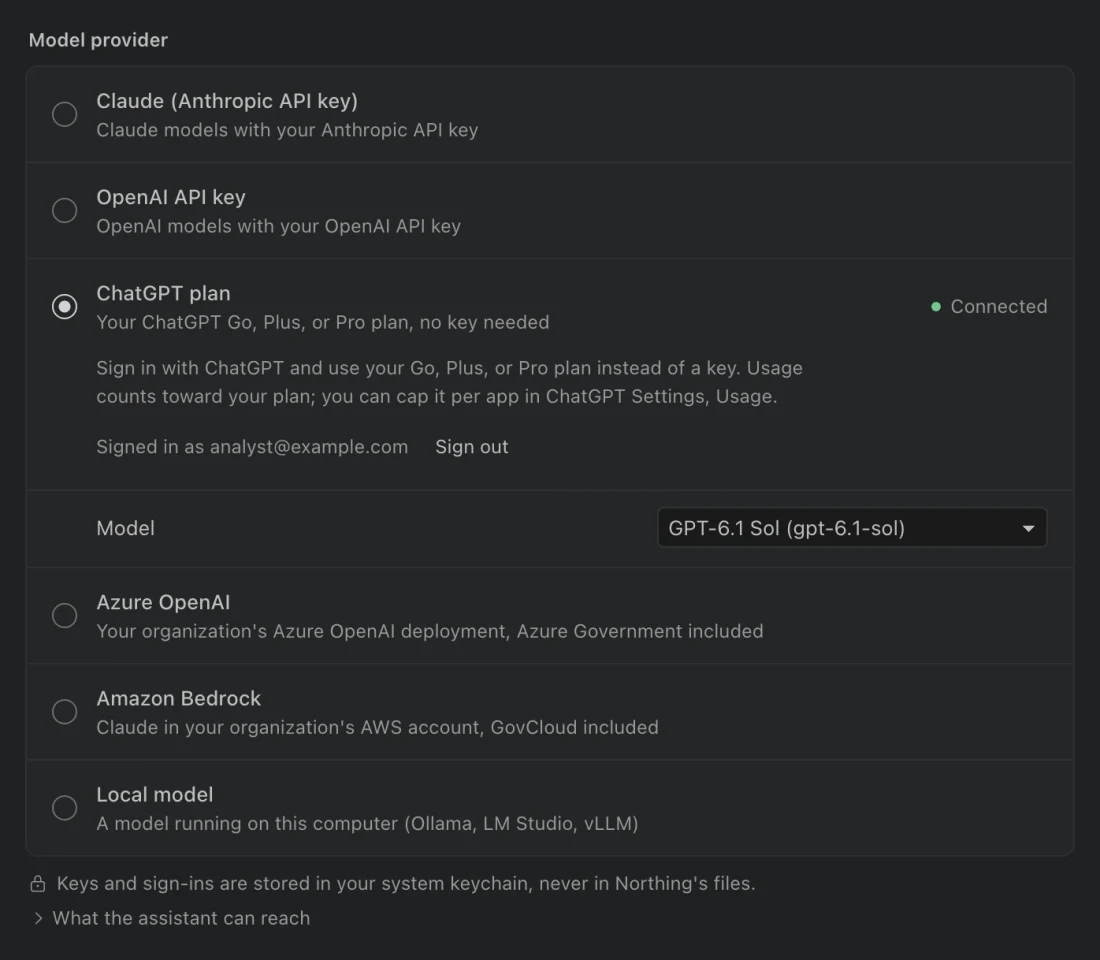
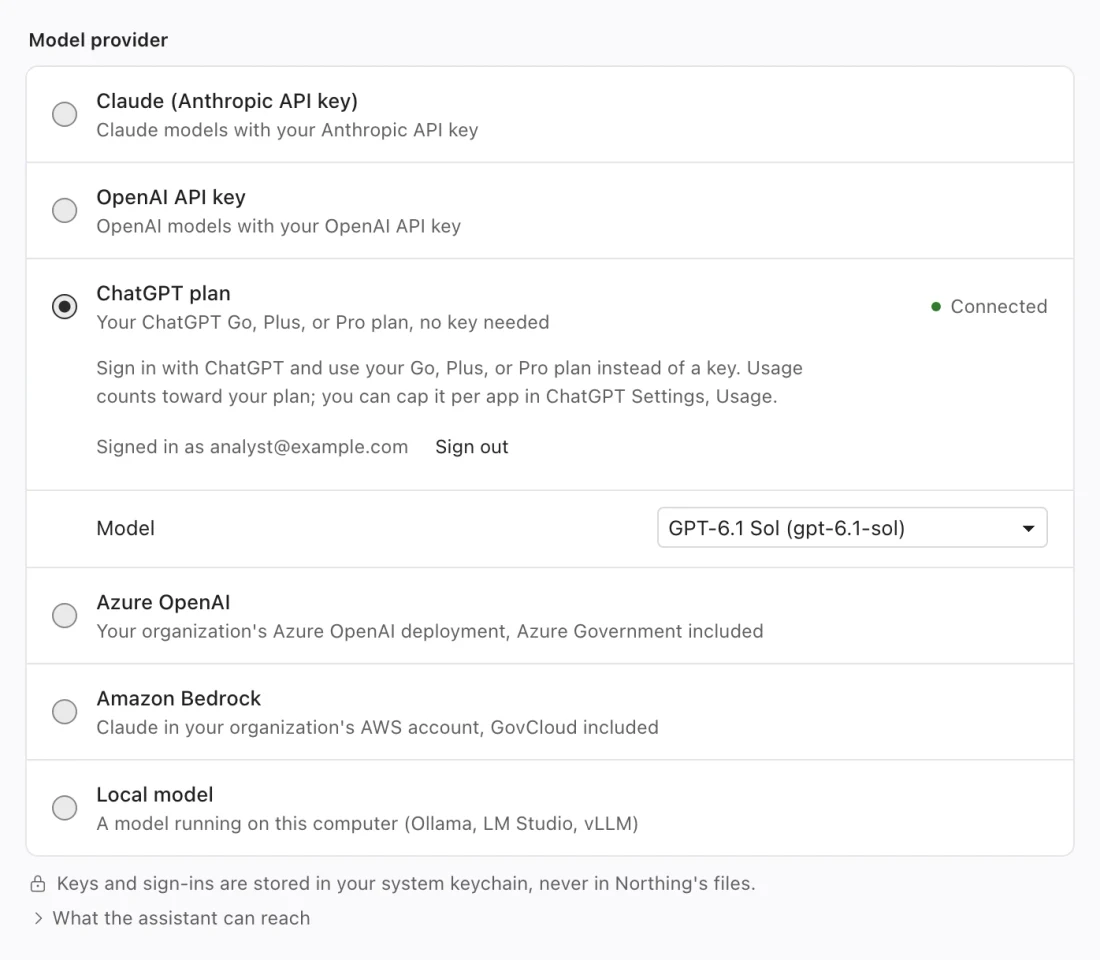
Choose a connection type
Section titled “Choose a connection type”| Provider in Northing | Connection | Where usage belongs |
|---|---|---|
| Claude (Anthropic API key) | Anthropic API key. | Your Anthropic API account. |
| OpenAI API key | OpenAI API key. | Your OpenAI API account. |
| ChatGPT plan | Sign in with ChatGPT. | The signed-in plan supported by Northing’s connection flow. |
| Azure OpenAI | Resource endpoint and deployment, with a key or Entra ID. | Your organization’s Azure resource. |
| Amazon Bedrock | AWS region and credentials. | Your organization’s AWS account. |
| Local model | A compatible server on this computer. | Your local model server. |
An API connection and a subscription sign-in are separate choices. Northing’s Claude connection accepts an API key; it does not offer Claude subscription sign-in. Use the provider and credentials your organization intends for this app rather than assuming a browser subscription supplies an API key.
Use an API key or ChatGPT sign-in
Section titled “Use an API key or ChatGPT sign-in”For Claude (Anthropic API key) or OpenAI API key, paste the key into the provider’s password field and choose Save. Northing checks the connection. Select a model the account can access when the list appears. Remove key removes the saved key from Northing’s connection.
For ChatGPT plan, choose Sign in with ChatGPT and finish the browser flow. Return to Northing and check the signed-in account. Use Cancel if you need to stop a pending sign-in, or Sign out to disconnect an established session.
When no models are listed, Northing can show a text Model field. Enter a model identifier that your account can use and choose Use model. If the first request fails, check the connection’s error message and your account’s access to that model.
Configure Azure OpenAI
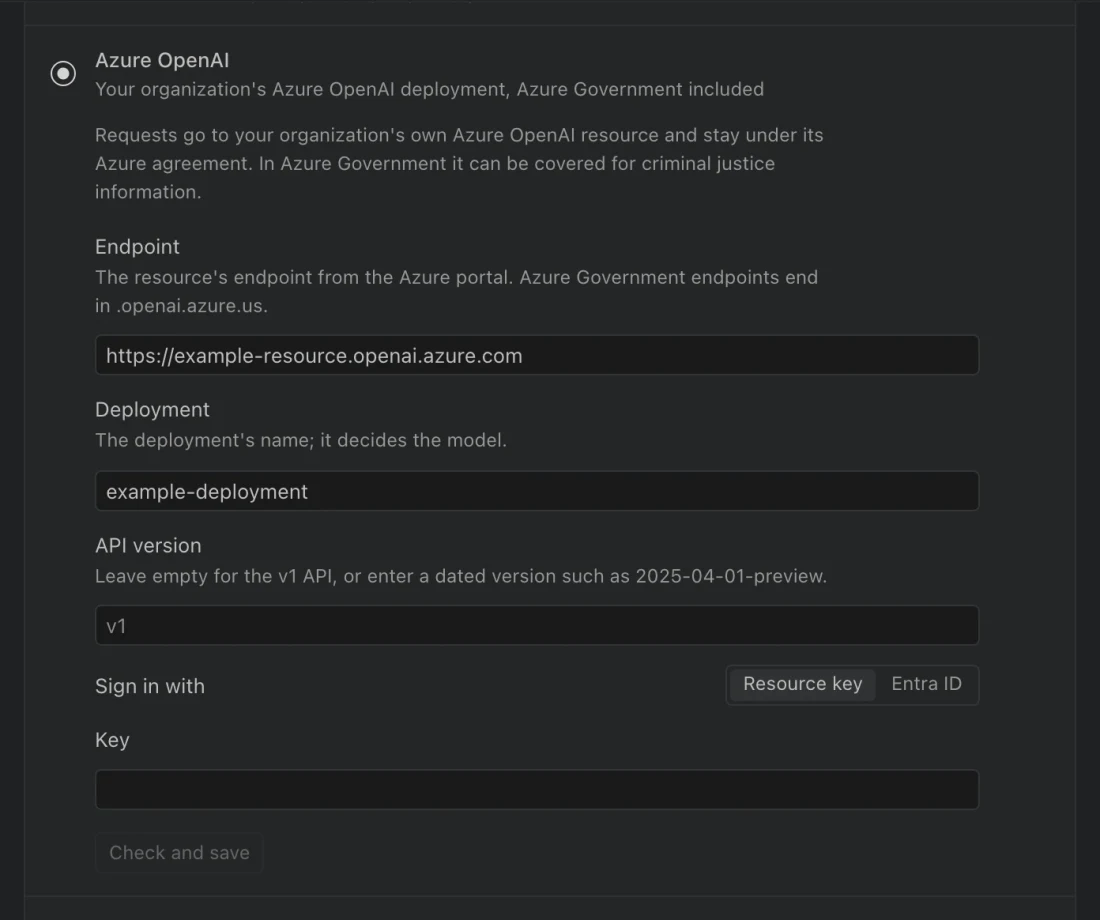
Section titled “Configure Azure OpenAI”Enter the resource’s Endpoint and the exact Deployment name supplied by IT. The deployment determines the model, so there is no separate model picker for this provider.
Use API version only as required by that resource. Northing accepts an empty value for its v1 route or a dated version for the corresponding versioned route. Ask the resource administrator which value belongs with the deployment rather than copying an unrelated example.
Under Sign in with, choose Resource key and enter Key, or choose Entra ID. Entra ID uses the Azure CLI account already signed in on this computer; run az login in your terminal first. Select the correct Azure environment and account with your administrator before using a Government resource.
Azure Government endpoints end in .openai.azure.us. Confirm the actual endpoint with IT and choose Check and save. Follow your organization’s data sensitivity rules when using the model.
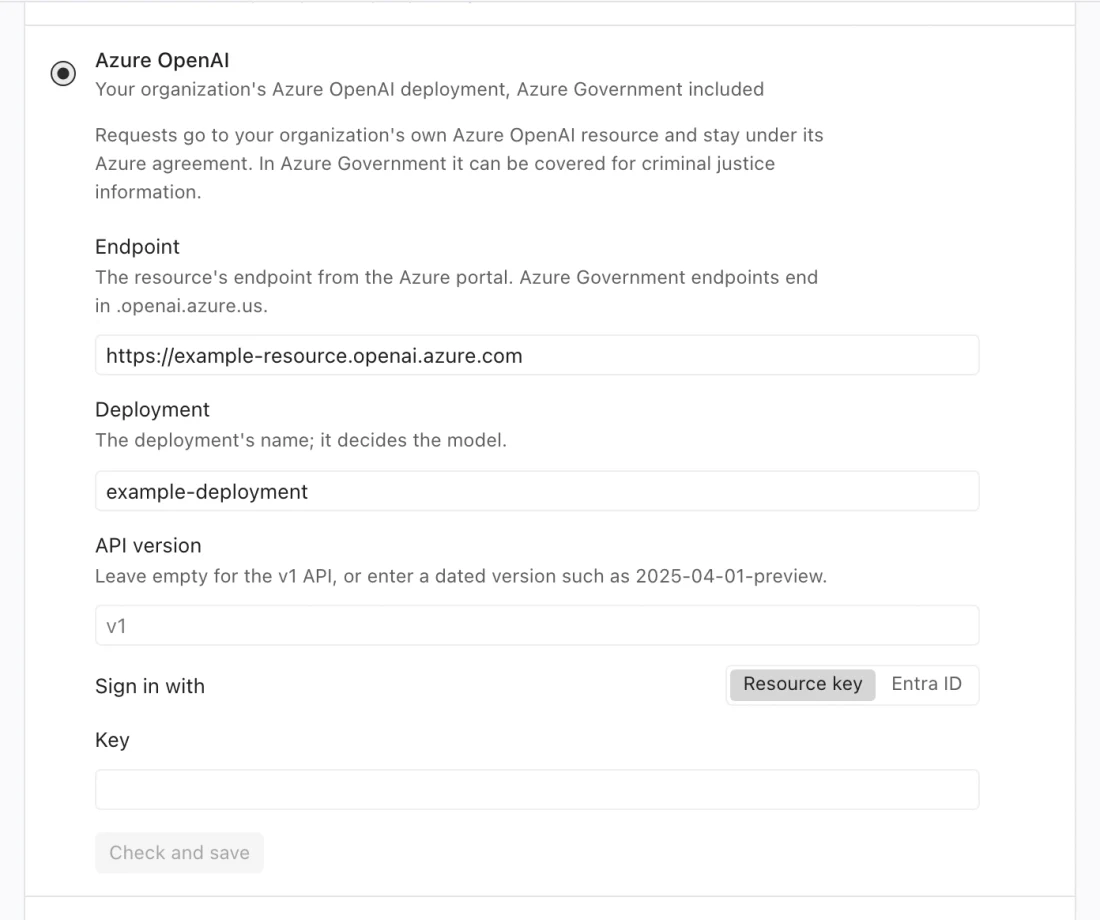
Configure Amazon Bedrock
Section titled “Configure Amazon Bedrock”Enter Region, then choose Credentials. Access keys requires Access key ID and Secret access key, plus Session token for temporary credentials. AWS profile reads a named profile from ~/.aws/credentials or ~/.aws/config. Northing supports profiles with static access keys. Profiles that depend on SSO, role assumption, or a credential process are not supported yet. API key accepts a Bedrock API key where supported.
Leave Bedrock API on Auto unless your administrator specifies Messages or InvokeModel. The automatic choice uses the supported route for the region. GovCloud uses InvokeModel and an appropriate inference profile. Choose Check and save, then select a model or enter the account’s model or inference profile identifier if listing is unavailable.
Connect a local model
Section titled “Connect a local model”Start your local server before connecting. Choose Local model, enter Server address, and choose Connect. The form suggests http://localhost:11434/v1 for Ollama or http://localhost:1234/v1 for LM Studio.
The server must implement the Responses API expected by Northing. An endpoint that supports only another chat API is not sufficient. Northing accepts loopback addresses for this provider, so a remote LAN server is not a local-model endpoint here.
The model request stays on this computer. Portal downloads, online basemaps, and enabled outside sources are separate network activities. Small local models may produce incorrect SQL or stop before completing a task; inspect their work as you would any other assistant result.
Data access and connection problems
Section titled “Data access and connection problems”Release builds keep keys and sign-ins in the system keychain. Non-secret provider choices and endpoint settings are stored separately. Do not paste a key into a chat, screenshot, or problem report.
The assistant can inspect permitted tables, run read-only queries, and save new result tables. It cannot use that path to edit or delete existing tables. Portal searches and imports require their own access. Outside sources have separate per-chat controls, and organization rules can block providers or withhold table values.
If a provider shows Not allowed, ask your administrator to review the policy. A saved credential with a provider error needs connection or account troubleshooting. If no response arrives, verify the selected model, endpoint, deployment, and account access before retrying the same prompt.