
Work with large layers
Use download limits and paging to work with large layers while managing disk space and memory. Check completeness in the table: it can contain more records than the map draws at a wide scale or the grid holds at once.
Prepare a large import
Section titled “Prepare a large import”- Estimate the source count for the filter you intend to use. Start with a small, representative pull if you have not used the service before.
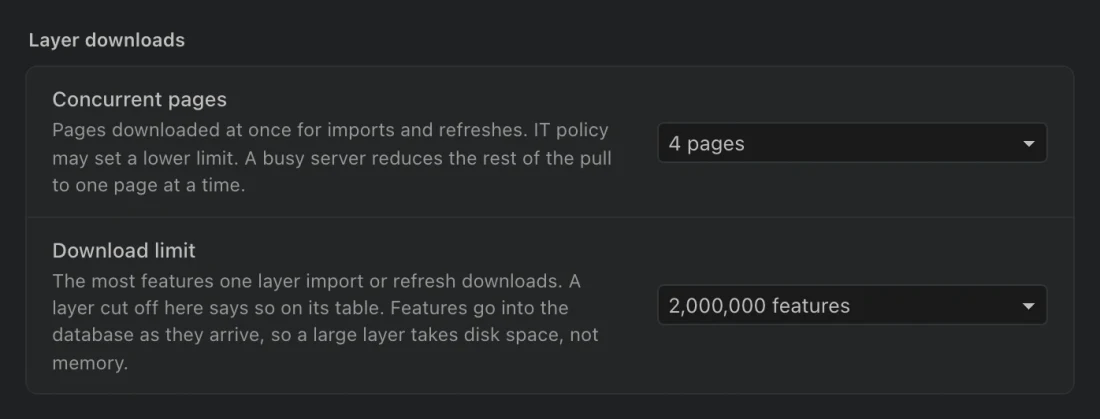
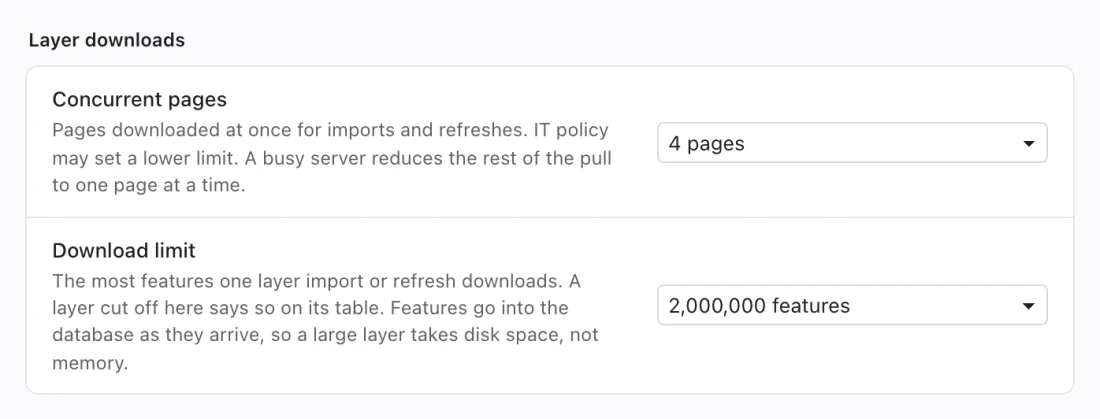
- Open Settings > Data and storage. Compare Download limit with that count and available disk space.
- Check Concurrent pages. Keep the default unless the service or your IT administrator calls for a smaller value.
- Import the layer and monitor its job. Allow time for service throttling and disk writes.
- Check the finished table’s count and warnings. If the pull was capped, narrow the source filter or raise the limit and pull again before treating it as complete.
Limits that describe different things
Section titled “Limits that describe different things”| Setting or behavior | Bound | Meaning |
|---|---|---|
| Default download limit | 2,000,000 features | Ceiling for one layer import or refresh. |
| Maximum configurable download limit | 20,000,000 features | The highest available setting; check disk space before raising it. |
| Concurrent pages | Default 4; choices 1–8 | Requests in flight during supported downloads; IT may set a lower maximum. |
| GeoJSON map display threshold | 50,000 features | Larger spatial results use tiled display. |
| Attribute-table retained window | Up to 5,000 rows and 16 MiB of serialized row data | A memory window, not a total-row ceiling; one oversized row remains readable. |
Northing stages downloaded pages into the database. A large pull needs disk capacity, and the rest of your workflow still needs memory for queries, map data, and exports. Download and query speed depend on your computer and source service.
When the source slows down
Section titled “When the source slows down”A busy service can throttle requests. A 429 or 503 response causes the pull to back off, respect its retry delay, and reduce concurrency to one worker for the rest of the pull. The import report records that reduction. Increasing the setting will not make a throttled service accept more traffic during that pull.
Servers without pagination use batches of object IDs where possible. Cancellation stops outstanding requests without publishing a partial layer as a completed table. Inspect the job outcome before starting another attempt.
Why the map and table look different
Section titled “Why the map and table look different”Large spatial results use vector tiles generated from the local query. At wider zoom levels, geometry is simplified and features can be thinned. A sparse-looking map is therefore not a record count. Zoom in to inspect features, and use SQL or the attribute table for inventory totals.
Tiled features still support identification and selection; their full row can be loaded when needed. The map loads the fields needed for drawing; the table keeps the remaining attributes. Map basics explains how results and saved maps use the data.
The attribute table scrolls through the full result and offers Next page. It does not keep every earlier page loaded. Sorting and filtering run against the query before paging; selecting all cells selects the loaded window. Use a query and full-result export when you need all matching records.