
Traverse and parcel construction
Use Traverse and parcel construction… to construct lines or parcels from survey courses, inspect closure, and review split, merge, or easement operations on local polygons. Computations use the local database’s analysis coordinate system and grid north.
Enter a traverse
Section titled “Enter a traverse”- Check the analysis projection under Settings > Map. Planar computations require axes directed east and north; westing and southing definitions are refused.
- Activate a map and choose Traverse and parcel construction… from the command center or More map tools.
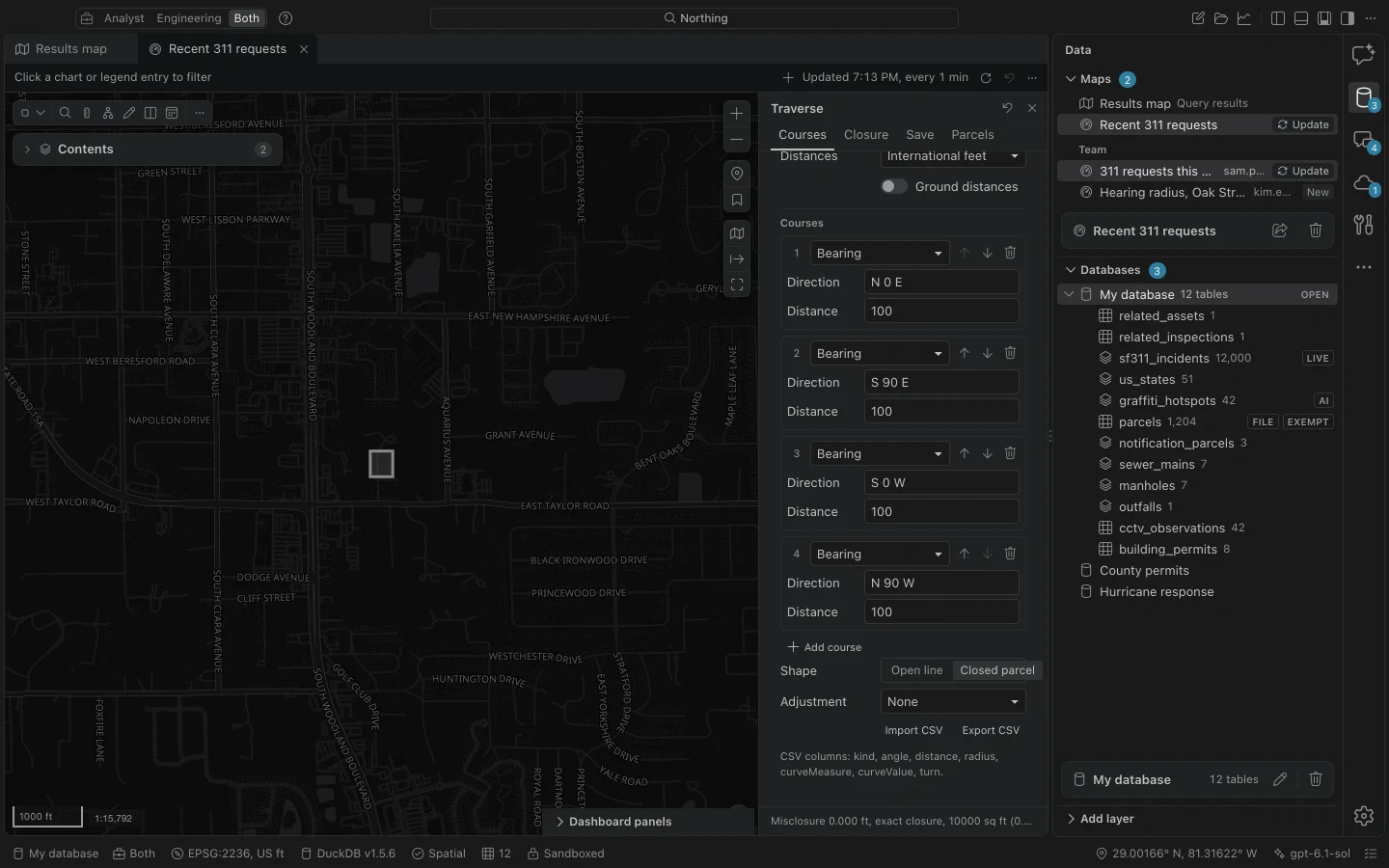
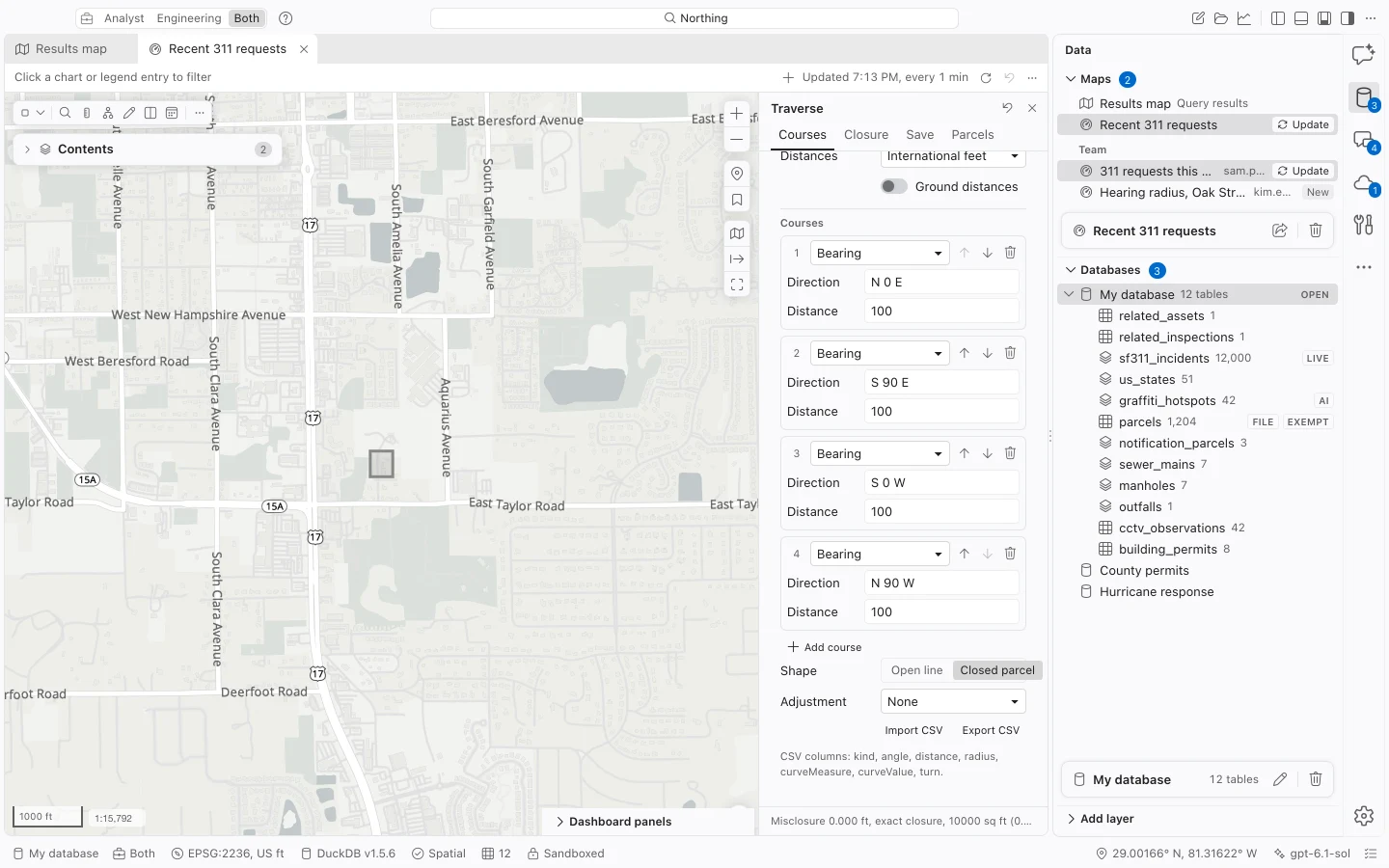
- On Courses, enter the start Easting and Northing in the analysis CRS’s native units. Alternatively, use Pick on map and, if appropriate, Snap to a vertex.
- Set Distances to International feet or Meters. For ground distances, enable Ground distances and enter the combined Scale factor. Grid distance equals ground distance multiplied by this factor.
- Add the record courses and choose Open line or Closed parcel under Shape.
- Inspect Closure, the adjusted courses, and the map preview. Choose an Adjustment only after reviewing the unadjusted result.
Bearings, distances, and curves
Section titled “Bearings, distances, and curves”Courses accept quadrant bearings such as N 45-30-15 E, azimuths, and left or right deflections. Directions are relative to grid north. Starting coordinates use the analysis CRS’s units; course distances use the separate Distances choice.
Circular curves use a radius and one of Arc length, Chord, or Delta (degrees). Chord input is the minor chord length. A blank curve bearing continues the preceding tangent; a supplied chord bearing defines a non-tangent curve.
Use Import CSV to bring in courses or Export CSV to reuse them. The columns are kind,angle,distance,radius,curveMeasure,curveValue,turn. Start coordinates, units, CRS, and scale factor are set separately in the pane; a course CSV is not a complete record of those settings.
Review closure and adjustment
Section titled “Review closure and adjustment”Closure reports the direction from the start to the record endpoint, misclosure distance, perimeter-to-misclosure precision, and closed area. Compare the editable record calls with the computed courses rather than replacing the source calls to make the endpoint agree.
| Adjustment | Behavior |
|---|---|
| None | Preserve the record courses without distributing closure error. |
| Compass (Bowditch) | Apply the Bowditch adjustment. |
| Transit | Apply the transit adjustment. |
| Crandall | Hold chord directions fixed and weight distance variance by chord length; singular or reversing solutions are refused. |
Adjusted curves preserve their shape through a similarity transformation. Preview and saved geometry approximate arcs with chords, while reported area includes the circular segments. A self-intersecting parcel is refused by geometry validation.
On Closure, Zoom to traverse frames the result. Description (text) and Report (PDF) export the record calls, adjustment, closure, area, and computed coordinates.
Save a constructed feature
Section titled “Save a constructed feature”On Save, choose an existing 2D spatial Table with the appropriate geometry type. Select a writable text Calls field large enough for the source record and complete the required attributes. If needed, add a text field through table properties first.
Choose Create parcel for a closed traverse or Create line for an open one. The record field preserves the original calls, CRS, units, factor, chosen adjustment, and computed courses. Geometry, domains, required fields, and local change tracking use the ordinary feature-edit validation.
Split, merge, or create an easement
Section titled “Split, merge, or create an easement”On Parcels, choose a destination table and operation. For a split or merge, enter the IDs of existing local source features. Put the feature whose attributes you want to carry forward first.
For a split, use an open traverse or draw a line that divides the polygon into at least two pieces. For a merge, provide two or more polygon keys. An easement creates a strip centered on a line, with flat ends and the stated total Width in feet.
Choose an attribute rule for each writable field: Carry from the first, Sum (merge only), or Reset to the Save tab value. Choose Review changes, inspect resulting areas and attributes, then Apply parcel changes. A stale review is refused. Northing applies all changes together and keeps a table snapshot in Settings > Data and storage.